

Virtualization
Proxmox VE Deployment, Migration and Support
We deploy your virtualization platform on Proxmox Virtual Environment, migrate your VMware estate, supply your subscription and support you after go-live.
What is Proxmox VE?
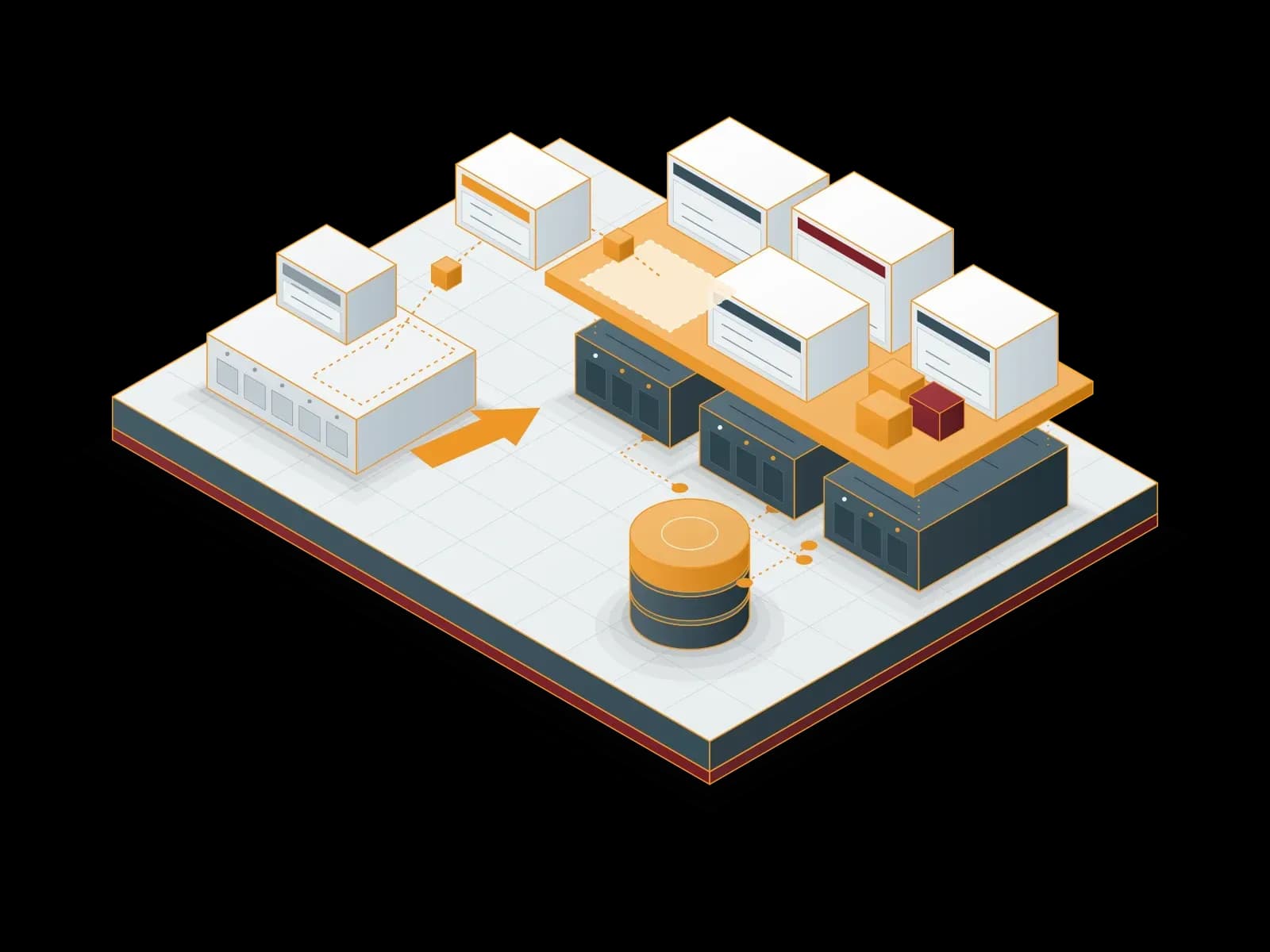
Proxmox Virtual Environment (Proxmox VE) is an open-source platform for server virtualization. It combines two technologies in one interface: KVM for full virtual machines and LXC for lightweight Linux containers. You run Windows and Linux workloads on the same infrastructure and manage them from the same web interface.
The platform is based on Debian GNU/Linux and is distributed under the GNU AGPLv3 license. You pay no license fee to use the software. A subscription for business use gives access to the Enterprise Repository with tested updates and, depending on the level, to Proxmox technical support.
Clustering, high availability (HA), live migration, software-defined networking (SDN) and integrated Ceph storage are built into Proxmox VE without extra products. As of October 2026, the current release is Proxmox VE 9.2.
Proxmox VE with Synchron
As a Proxmox Authorized Reseller, Synchron delivers your Proxmox VE projects end to end, from planning to operations. The team that sells the license also builds the system, so you work with a single point of contact.
Deployment and configuration
From hardware selection and cluster layout to storage, network design and backup policy, we build and document your Proxmox VE platform for your workloads.
VMware to Proxmox migration
We inventory and plan your current VMware vSphere / ESXi environment and move your virtual machines to Proxmox VE in controlled steps.
License and subscription sales
We help you choose the right Proxmox VE subscription level, supply the subscription as a Proxmox Authorized Reseller and track renewals.
Technical support and managed service
After installation we provide monitoring, updates, capacity planning and incident support. Our support line is open 24/7. We prioritize requests by business impact.
Training
We give hands-on training so that your IT team can run Proxmox VE day to day. We set the training content and duration according to the project scope.


Support process
Our support line is available 24/7. We prioritize requests by business impact. We agree on the priority classes and targets with you in the service contract.
Our business hours are 09:00–18:00 Türkiye time (UTC+3), Monday to Friday. The support times of the Proxmox subscription levels (Basic, Standard, Premium) are vendor support. In Synchron support, our support line takes your request and prioritises it by business impact.
Migrating from VMware to Proxmox
Proxmox VE offers built-in import tools for migrating from VMware vSphere / ESXi environments. Releases 8.1 and 8.2 added direct guest (VM) import from ESXi, and release 8.3 added OVA import. These tools make migration easier, but a successful migration depends more on the plan than on the tool.
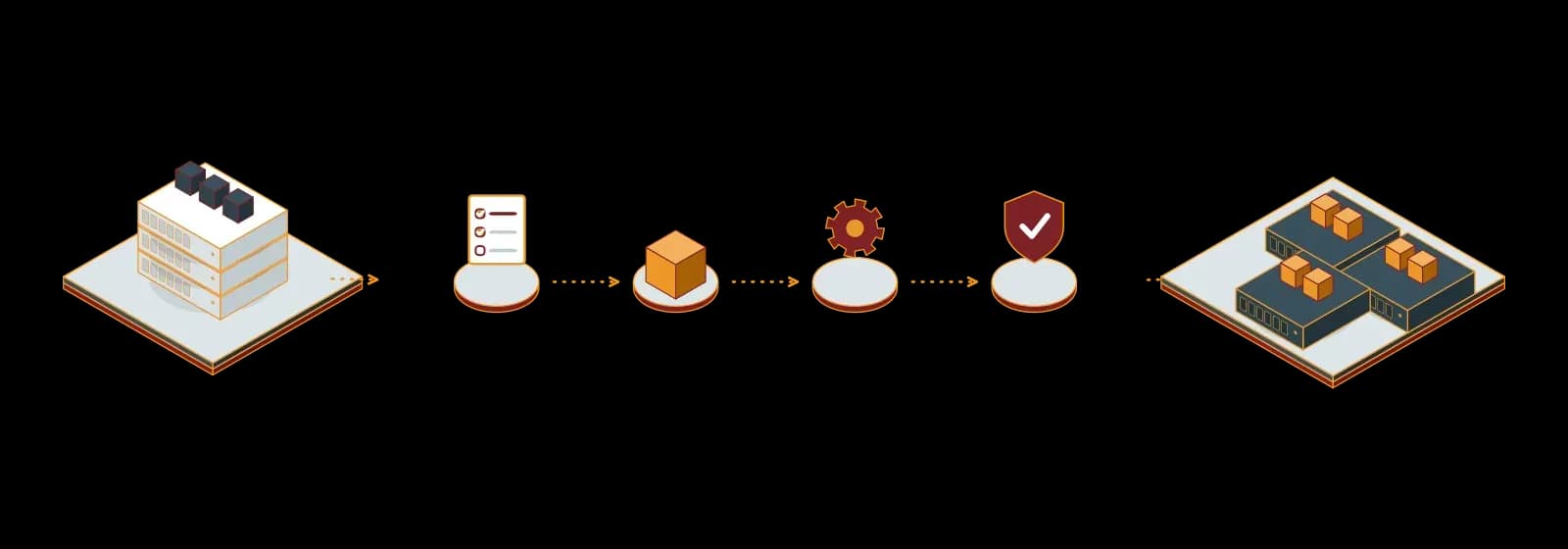
The steps we follow in migration projects:
- Inventory and analysis: We map virtual machines and their storage, network and backup dependencies.
- Target architecture: We define the cluster, storage (ZFS, Ceph or your existing SAN/NAS) and network design.
- Pilot migration: We validate the process with non-critical workloads and test the rollback plan.
- Planned migration: We move virtual machines in maintenance windows, in the order agreed with business units.
- Validation and handover: After performance, backup and access tests, we document the environment and hand it over to your team.
Read more in our article: VMware Alternatives: Is Proxmox the Right Choice for Enterprises?
Proxmox Datacenter Manager
If you manage several Proxmox VE clusters or servers in different locations, Proxmox Datacenter Manager (PDM) brings these environments together in one central interface. As of October 2026, the current release is Proxmox Datacenter Manager 1.1.
With PDM you can start and stop virtual machines and containers without connecting to each node, and live-migrate them between independent clusters. Central search, metric dashboards, role-based access control and central update management simplify the operation of large environments. Proxmox Backup Server instances are monitored from the same interface.
PDM needs no separate subscription key. Access to updates and support depends on an active enterprise subscription of the Proxmox VE and Proxmox Backup Server systems it manages. Synchron delivers PDM deployment and multi-cluster architecture design as part of the Proxmox VE project.
Proxmox VE features
KVM and LXC together
You run full virtual machines and Linux containers on the same platform, from the same interface.
Clustering and high availability
When a server in a multi-node cluster fails, the HA manager restarts its virtual machines on the other nodes.
Live migration
You move running virtual machines between cluster nodes without downtime and carry out maintenance.
Flexible storage
You use local and network storage types such as ZFS, LVM, NFS, iSCSI, SMB/CIFS and integrated Ceph.
Software-defined networking and firewall
SDN based on VLAN, VXLAN and EVPN, plus firewall rules at node and virtual machine level, managed from one place.
Web interface and REST API
A browser-based management interface, the command line and a REST API connect easily to your automation tools.


Use cases
- Migration from VMware: Move an existing VMware vSphere / ESXi environment to open-source Proxmox VE in a planned way.
- Server consolidation: Virtualize ageing physical servers to cut hardware, energy and maintenance costs.
- Hyper-converged infrastructure: Combine compute and storage on the same cluster nodes with Proxmox VE and Ceph.
- Branch and multi-site setups: Manage clusters in different locations centrally with Proxmox Datacenter Manager.
Proxmox VE subscription levels
Community
For test, lab and learning environments.
- Access to stable updates in the Enterprise Repository
- No Proxmox technical support tickets
- Support comes from the community forum
Basic
For teams that need support now and then.
- Enterprise Repository access
- A limited number of support tickets per year via the Proxmox Customer Portal
- Proxmox Datacenter Manager support
Standard
For day-to-day production operations.
- More support tickets than Basic
- Shorter first response time
- Remote support via SSH
- Offline updates and key activation
Premium
For high-impact production workloads.
- Unlimited support tickets
- Shortest first response time
- Remote support via SSH
- Proxmox announced 24/7 support for the Premium level in October 2026
A Proxmox VE subscription is based on the number of physical CPU sockets in use; the core count does not affect the price. All servers in a cluster use the same subscription level. The software features are the same at every level; the levels differ in support scope.
Support in the subscription levels is Proxmox vendor support. In Synchron support, our support line takes your request and prioritises it by business impact. Request a quote for the right level and price.
Our Solution Partners


Technologies we use
 Debian Linux
 Linux
Linux VMware

Frequently asked questions
Is Proxmox VE free?
Yes. Proxmox VE is open source and free to use under the GNU AGPLv3 license. For business environments, a subscription is recommended: it provides tested updates and, depending on the level, Proxmox technical support.
How is the Proxmox license calculated?
A Proxmox VE subscription is calculated per year and by the number of occupied physical CPU sockets in the server. The core count does not affect the price. All servers in a cluster must have the same subscription level.
How long does a VMware to Proxmox migration take?
It depends on the number of virtual machines, the data volume and the tolerance for downtime. After the inventory analysis, we give you a phased migration schedule planned around your maintenance windows.
Will my VMware virtual machines run on Proxmox VE?
Yes. Proxmox VE supports direct virtual machine import from ESXi and OVA files. During migration we adapt drivers, disk formats and network settings to Proxmox VE.
Is Proxmox VE suitable for enterprise use?
Yes. Clustering, high availability, live migration, Ceph storage and role-based access control meet enterprise requirements. For production environments we recommend a Basic, Standard or Premium subscription.
Does Proxmox Datacenter Manager need a separate license?
No. Proxmox Datacenter Manager needs no separate subscription key. Updates and support depend on the active subscription of the Proxmox VE and Proxmox Backup Server systems it manages.
How do I back up Proxmox VE?
Proxmox VE takes scheduled backups with its built-in backup tool. For incremental, deduplicated and encrypted backups, we recommend deploying it together with Proxmox Backup Server.
What is the advantage of buying a Proxmox license from Synchron?
As a Proxmox Authorized Reseller, Synchron supplies the subscription and delivers deployment, migration, training and support from the same team. We also track license renewals and version upgrades for you.
Related services
Proxmox Backup Server Deployment and Support
Back up your virtual machines, containers and physical servers with Proxmox Backup Server: incremental, encrypted and verifiable.

Proxmox Mail Gateway Deployment and Support
Filter spam, viruses and phishing emails with Proxmox Mail Gateway before they reach your mail server; get deployment, licensing and support from Synchron.
Infrastructure as a Service (IaaS)
We provide virtual servers (VPS) hosted in data centers in Türkiye. We scale resources as needed, monitor the server and back it up. Our support line is available 24/7.
Disaster Recovery Services (DRaaS)
We build a disaster recovery plan for your critical systems. We document the recovery steps for your RPO and RTO targets and test them with drills.
Let's discuss your project
Tell us what you need and we will match you with the right team. For urgent issues, call our support line.