Knowledge
What Is a Network Switch and What Does It Do?
A network switch connects multiple devices on a computer network. Its core job is to forward data packets efficiently from the source device to the destination device.
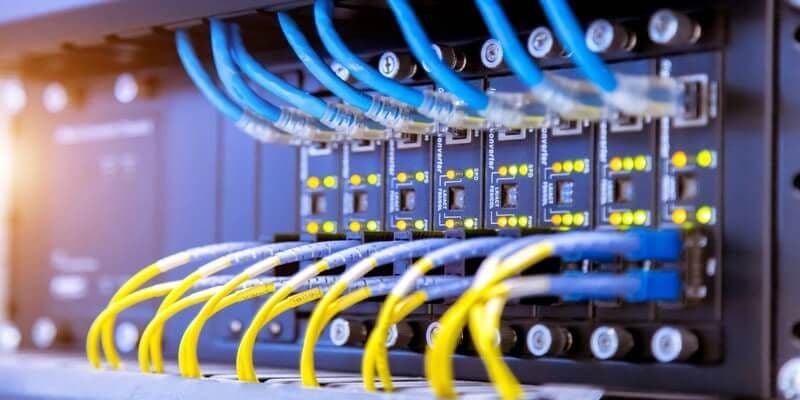
A switch (network switch) is a network device used to connect multiple devices on a computer network. Its core function is to forward data packets efficiently from the source device to the destination device. Switches manage network traffic with a forwarding mechanism based on MAC addresses. This ensures that each data packet reaches the correct destination on the network. The process improves network performance and reduces unnecessary delays in data transmission. Network switches operate at the physical layer (Layer 1) and the data link layer (Layer 2), and some advanced models also have routing capabilities at the network layer (Layer 3).
Switches optimize the flow of data between devices on a LAN (Local Area Network) and help you use network resources more efficiently. Models come with different port counts, so you can choose one that fits your needs. Network switches are common in large and mid-sized businesses, educational institutions and internet service providers. These devices give you flexibility in expanding and managing the network, so they adapt easily as the number of users grows or the network configuration changes. Switches with advanced management features can also be used to strengthen network security, prioritize traffic and monitor network performance.
What Does a Switch Do?
A switch is a piece of network hardware used to connect multiple computers, printers, network cameras and other network devices. It carries data between the devices on a network and manages network communication.
The core functions of a switch are:
- Providing Connectivity: A switch connects all devices on a network and makes data communication between them possible.
- Transferring Data: A switch forwards data from one device to its destination quickly and reliably.
- Preventing Collisions: When several devices try to send data at the same time, the switch prevents data collisions and keeps data transfer running correctly.
- Managing Network Traffic: A switch analyzes network traffic and forwards data along the best path to optimize network performance.
- Providing Security: A switch can offer security features such as firewall functions and VLANs to block unauthorized access to your network.
Advantages of a Switch
- Easy Installation: Switches are usually plug-and-play and are very easy to install.
- Scalability: Switches are available with different port counts and scale easily with the size of your network.
- Reliability: Switches keep your network running without interruption and prevent data loss.
- Performance: Switches optimize network traffic and improve network performance.
- Security: Switches offer security features that block unauthorized access to your network.
Where Switches Are Used
- Home and Office Networks: Switches connect multiple computers and other network devices in homes and offices.
- Data Centers: Switches connect servers and other network equipment in data centers.
- Industrial Networks: Switches are also used in industrial environments such as factories and production facilities.
How Does a Switch Work?
A switch (network switch) is a network device that forwards data packets between devices on a local area network (LAN). It receives data packets from each connected device and forwards them to the correct port based on the MAC address of the destination device. This makes data traffic more efficient and targeted, which improves network performance and reduces data collisions.
A switch starts by learning the MAC addresses of all connected devices. It learns them by listening to the first data packets that devices send once they are connected to the switch. The switch associates each MAC address with the related port and builds a MAC address table. When a data packet arrives, the switch reads its destination MAC address, looks up the matching port in the MAC address table and forwards the packet directly to that port. If the destination MAC address is not in the table, the packet is sent to all ports (flooding), but this usually happens only when new devices join the network for the first time. This selective forwarding reduces unnecessary traffic across the network and makes better use of network resources, which matters most in environments with heavy network traffic.
What Types of Switches Are There?
Switches are critical network devices used to improve network structure and optimize data transmission. Many types of switches exist for different network needs. They differ by use case, manageability, performance level and supported protocols. The most common types of switches are:
- Managed Switches
Managed switches give network administrators broad control and flexibility: they can inspect and route network traffic, apply policies, monitor network performance and change the configuration. These switches can include advanced features such as VLAN creation, QoS (Quality of Service) policies, network security and network monitoring over SNMP (Simple Network Management Protocol).
- Unmanaged Switches
Unmanaged switches are usually ideal for small networks or simple network expansion. These devices are plug-and-play and need no configuration. Unmanaged switches are cost-effective solutions for home offices, small businesses and simple LAN connections.
- Smart or Semi-Managed Switches
Smart switches offer a middle ground between managed and unmanaged switches. They provide basic network management features but are less complex than fully managed switches. They usually allow selected management functions such as VLAN creation, QoS and some security features. They are a cost-effective option for small and mid-sized businesses.
- PoE (Power over Ethernet) Switches
PoE switches can deliver electrical power over network cables. This lets you power devices such as IP cameras, VoIP phones and wireless access points with a single Ethernet cable for both data and power. This feature simplifies device installation and increases flexibility.
- Stackable Switches
Stackable switches let you manage multiple switches as if they were a single unit. This makes it easy to respond to network expansion needs and simplifies network management. Stackable switches offer flexible and scalable solutions for growing networks.
Each type of switch is designed for specific network requirements and use cases. The size and complexity of the network and the features you need determine the right type of switch.
What to Consider When Choosing a Switch
- The size of your network: Choose the port count of the switch based on the number of devices on your network.
- The data transfer speed you need: The data transfer speed of the switch must match the speed your network requires.
- The special functions you need: Consider whether you need special switch functions such as PoE, VLAN and QoS.
- Your budget: Switch prices vary with their features and port counts.
About the author
Synchron